
Learning management system made in Pakistan
The LMS and school management system Pakistani teachers actually use.
علم کی روشنی، ہر طالب علم تک
ilmdiya gives your school, college or tuition academy its own branded learning portal. Teachers publish lectures in minutes, students learn on any phone, and you see everything from one dashboard.
- No per-student fees
- Your own branded portal
- Works on slow mobile internet
- Built and supported in Rawalpindi


New lesson · just now
Lecture 5: Newton’s second law
Physics, Class 9 · Sir Usman
Mathematics, Class 9
3 of 5 lessons done · 60%
- Use it for
- Matric
- FSc and ICS
- O and A Levels
- BS and MS programmes
- Entry test prep
- Staff training
See it in two minutes
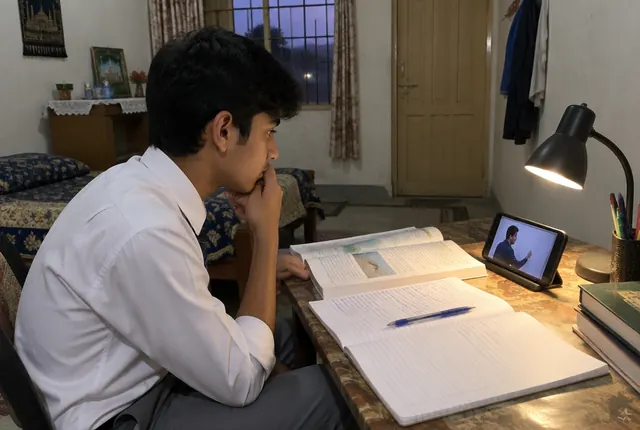
A teacher publishes a lecture, and Ayesha from Class 9 gets it on her phone: notification, notes, worksheet, diagrams and progress.
A real walkthrough with Urdu narration: lessons, notifications, assignments, marking, live classes and the owner dashboard.
What is in it for you
One platform, a better day for everyone in your institution
Pick your role to see exactly what changes for you.

Before and after
- Re-sending the same PDF to three WhatsApp groups
- Answering “Sir, what is the homework?” every evening
- No idea who actually watched the recording
- Publish once, every student is notified
- Homework and notes are always in the lesson
- A progress list shows who finished
Teach once. Every student gets it.
For teachers, ilmdiya is a simple online classroom: you add a lecture with a title and a YouTube link or file, press Publish, and every student in the class is notified on their phone. You can see who opened it and who finished it, without chasing anyone on WhatsApp.
- Publish a lecture in under five minutesA title, a YouTube link or a PDF, slides or Word file, and one click. No technical skills needed.
- One place instead of ten WhatsApp groupsNotes, recordings and homework stay organised by week and chapter, so nothing gets lost in a chat.
- Know who is keeping upSee which students opened and finished each lesson, and follow up with the ones who did not.
- Assignments marked in one placeStudents submit from their phones, even as a photo of their notebook. Add marks and feedback, and the gradebook fills itself.
- Live classes in one clickPaste a Zoom or Google Meet link and pick a time. Students get a Join button when class starts.
- Schedule aheadPrepare next week’s lessons on Sunday and release them automatically on the right day.
- Reuse every sessionYour course stays ready for the next batch or academic year. Edit, do not rebuild.
- Trained, not left aloneWe train your teachers during onboarding so the first lecture goes live on day one.
Productivity
How an LMS gives teachers their time back
Most of a teacher’s extra hours go into repeating things: re-sending notes, answering the same homework question, and checking who is behind. ilmdiya turns each of those into a one-time step.
- 1Share onceOne publish reaches every student in the class, with notes and worksheets attached.
- 2Answer onceHomework and instructions live inside the lesson, so students look there first.
- 3Check in secondsA progress list shows who finished, so follow-up takes minutes, not a whole period.
- 4Reuse every yearNext session’s course is ready on day one. Edit it, do not rebuild it.
Your institution
Estimated every month
129
teacher hours
About 22 full teaching days back for lessons and students.
Rs 21,000
Saved on photocopies when notes go out as PDFs.
An estimate, not a promise. It assumes ilmdiya removes about half of the time spent re-sending notes and answering repeat questions, over 4.3 weeks a month. Change the numbers to match your institution.
One e-learning platform for every kind of institution
From a single tuition academy in Saddar to a university department, the same simple tools fit the way you teach.

Schools
Class-wise courses, daily lectures, homework and progress for every section, plus a clear view for the principal.
Learn more →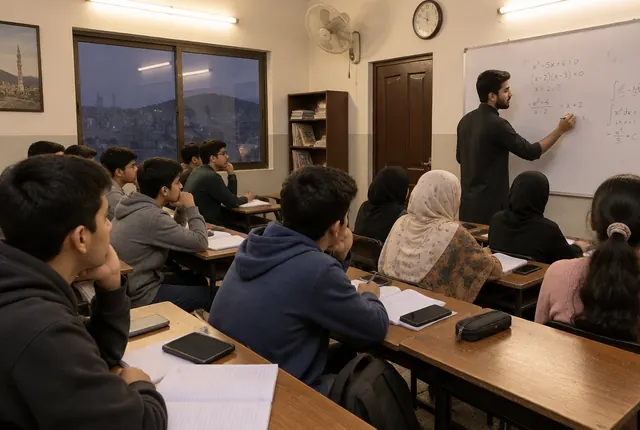
Tuition academies
Run online and blended batches, share recorded lectures and notes, and keep students engaged between classes.
Learn more →
Colleges and universities
Departments, programmes and semesters with teacher-led courses and secure student access.
Learn more →
Business training
Onboard and train staff with simple courses, progress tracking and certificates, without enterprise prices.
Learn more →Everything your teachers need, nothing they don’t
Teacher Studio
A guided course builder. Paste a YouTube link or upload PDFs, slides, Word files and images, arrange lessons and publish.
Every lecture reaches every student
Students are notified the moment a lesson goes live, and lessons can be scheduled for any date and time.
Built for phones and slow internet
Light pages, YouTube streaming that adapts to the connection, and notes students can download.
Assignments, marks and gradebook
Set homework with a deadline. Students submit from their phone, teachers mark with feedback and the gradebook fills itself.
Live classes
Schedule Zoom or Google Meet classes inside the course. Students get a Join button at class time.
Classes, batches and bulk import
Add a whole class from a spreadsheet and enrol it into a course in one step.
Progress you can see
Teachers see who has started and finished. Owners see live numbers across the institution.
Your brand, your data
Your logo, colours and web address. Each institution’s data is kept separate at the database level.
پاکستان میں بنایا گیا، پاکستان کے لیے
Made in Pakistan, for Pakistani classrooms
Phone first
Most students learn on a smartphone. Every screen is designed for a small screen and a mobile data package.
Ready for load-shedding
Missed a class because the power went out? The lecture, notes and worksheet are waiting.
Priced in rupees
A plan by institution size, with no per-student fees and no dollar bills.
Local onboarding
Our team in Rawalpindi sets up your portal and trains your teachers, in Urdu or English.
Working with institutions across Pakistan, including Rawalpindi, Islamabad, Lahore, Karachi, Peshawar, Multan, Faisalabad, Gujranwala, Sialkot, Quetta, Hyderabad, Abbottabad.
Visit or call us
ilmdiya
1st Avenue Mall, DHA Phase 1, Rawalpindi, PakistanLive in three simple steps
- Step 1
We set up your portal
Your logo, colours and web address, ready in a day.
- Step 2
Import teachers and students
Upload a CSV or add people one by one. Classes are created automatically.
- Step 3
Teachers publish lessons
We walk your teachers through publishing their first lecture. Most finish in under ten minutes.
Questions Pakistani schools ask us
What is ilmdiya?
ilmdiya is a learning management system (LMS) made in Pakistan for schools, colleges, universities, tuition academies and training teams. Teachers publish lectures, notes and homework, students learn on any phone, and principals see live progress. It is built by Innovista and supported from Rawalpindi.
What is a learning management system?
A learning management system (LMS) is software where teachers publish lessons and notes, and students learn and track their progress online. ilmdiya is built around how Pakistani schools and academies actually teach.
Which is the best LMS for schools in Pakistan?
The best LMS for a Pakistani school is one teachers will actually use, that works on students’ phones and slow internet, and that does not charge per student. ilmdiya was designed for exactly that, with a branded portal, class-wise courses and training for your teachers. Book a free demo to compare it with what you use today.
How much does an LMS cost in Pakistan?
ilmdiya uses a simple plan based on the size of your institution, quoted in rupees, with no per-student fees and no setup charge for the pilot. Contact us for a quote for your number of students.
Is this a school management system too?
It covers the learning side of school management: classes, enrolments, lessons, assignments, marks, gradebook, live classes, progress and staff roles. Attendance, fee records and result cards are on our roadmap. Payroll and transport are not included.
Can a tuition academy use ilmdiya?
Yes. Academies use it to run batches for Matric, FSc, O and A Levels and entry tests, share recorded lectures and notes, and let absent students catch up.
Do I pay per student?
No. Institutions pay a simple subscription based on their size, not a fee for every student.
Will it work on students’ phones?
Yes. It runs in any modern phone browser and can be added to the home screen like an app. Long lectures stream from YouTube, which adjusts to slow connections.
Can teachers with basic computer skills use it?
Yes. Adding a lecture takes a title, a YouTube link or a file, and one click to publish. We also train your teachers during onboarding.
Where is ilmdiya based?
ilmdiya is based at 1st Avenue Mall, DHA Phase 1, Rawalpindi, and works with institutions across Pakistan, including Islamabad, Lahore, Karachi, Peshawar, Multan and Faisalabad.
Is our data separate from other institutions?
Yes. Every institution’s records are separated inside the database itself, and access is checked on every request.
See ilmdiya with your own classes
Book a 20-minute demo. We will set up a trial portal with your logo so your teachers can try it.
Book a free demo